

Listing Guidelines
A step-by-step guide to walk you through the process of listing your cards
How listing works
Listings are created from Tierdrop's catalogue rather than free-form titles. Select the exact card, then add your photos, price, quantity and condition details.


Step 1:Find your exact card
Search our catalogue and select the correct card, set and variation.


Step 2:Add photos
Upload up to 10 clear photos. Include at least one clear photo of the front and back, following the examples below.


Step 3:Set the price and quantity
Set a price of $30 or more. You can include up to five copies in one listing, provided they are the same card and condition.


Step 4:Declare the condition
For raw cards, choose the appropriate level using our Condition Standard. For graded cards, select the grade shown on the label. Disclose any printing errors or notable issues not clearly visible in the photos.


Step 5:Publish, schedule, or save for later
Publish immediately, schedule the listing for later, or save it as a draft.
Choosing the right card
Card names and numbers alone are not always enough to identify the correct card. For example, Pikachu [70/100] appears in both Majestic Dawn and Stormfront. Although the name and card number are identical, they belong to different sets and have separate catalogue entries. Before listing, confirm that the set name or symbol, artwork, language and card number all match the catalogue entry.
Why it matters: If the card received does not match the selected catalogue entry, the order may not pass authentication and could be cancelled. Checking these details before publishing helps prevent delays, refunds and return postage.
Photo requirements
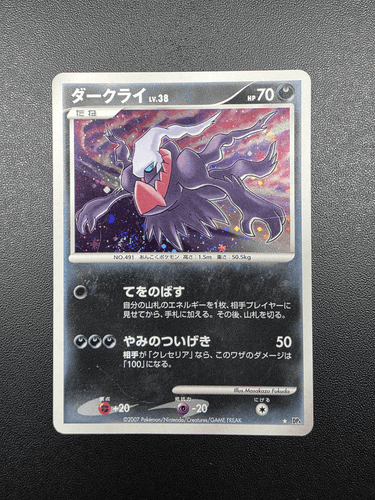
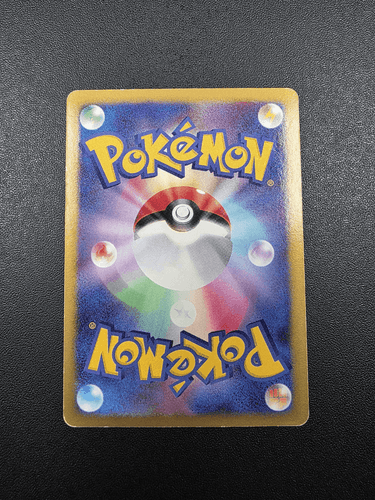
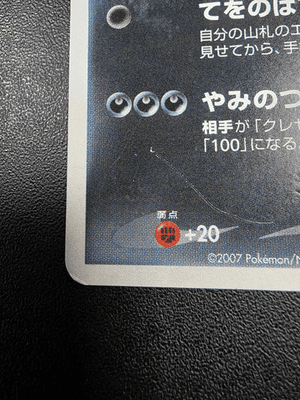
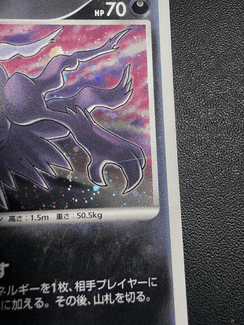
Upload 2 to 10 clear, accurate photos of the actual card. Include one full photo of the front and one of the back, plus close-ups of anything that may affect the listing. Photos that are blurry, misleading, contain personal information or include inappropriate content may be removed.
Standard set example
2 -5 photos
Clear, straight-on front and back, plus close-ups of anything a buyer should see. If it's worth mentioning, it's worth photographing.
Detailed set example
Up to 10 photos
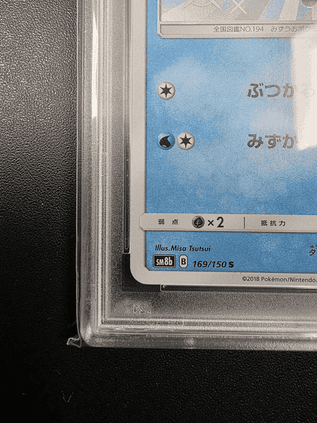
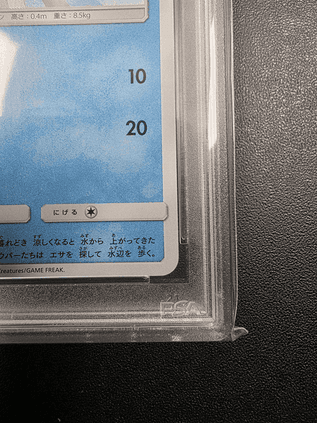
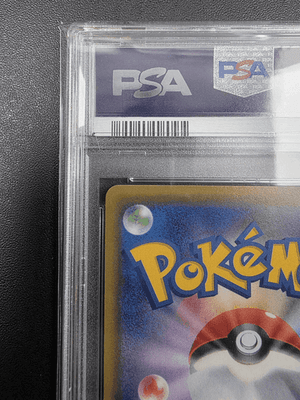
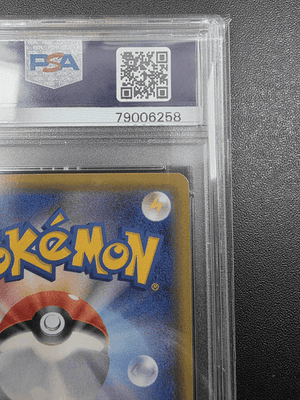
Full front and back, then all four corners of each side. This is the pattern serious buyers trust most for higher-value cards.
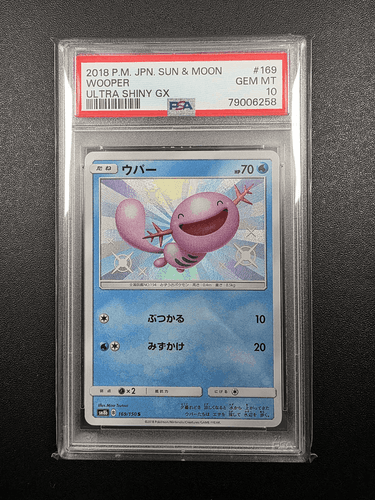
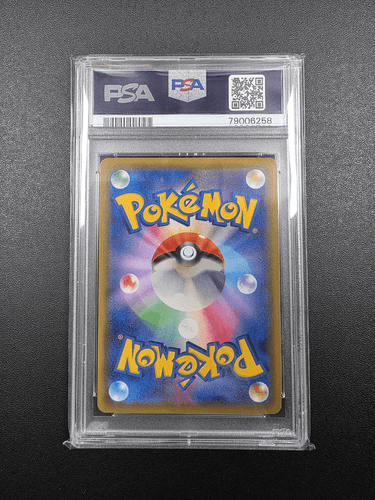
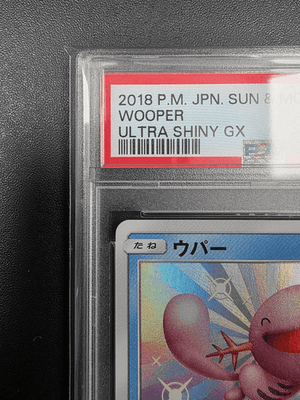
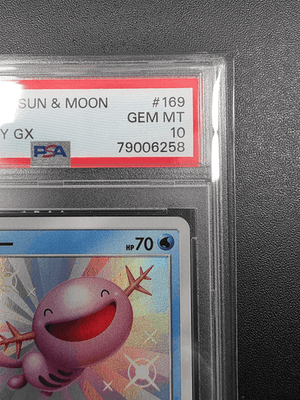
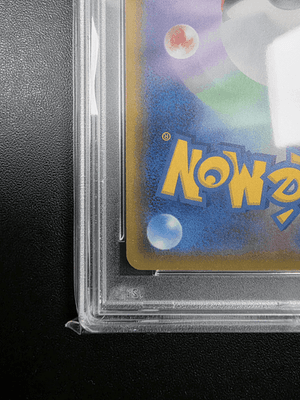
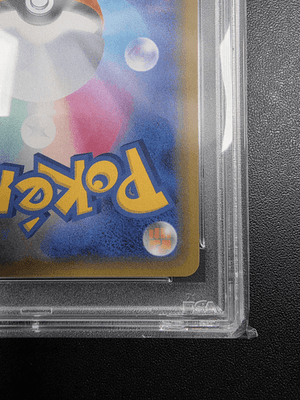
Recommended
- Photograph the card straight-on and fill the frame
- Use a plain, uncluttered background
- Use soft natural or indoor lighting without flash
- Make sure all photos are clear and in focus
- Photograph the exact card you will send
- For graded cards, show both sides of the holder with the label and certification number clearly visible
Best avoided
- Blurry, unclear or misleading photos
- Glare or reflections that obscure the card
- Stock images, screenshots or photos taken by someone else
- Filters, retouching or heavily edited images
- Fingers covering corners, edges or important details
- Personal information or anything that identifies the seller
- Offensive, explicit or otherwise inappropriate content
How to declare your card's condition
| UNGRADED CARDS | |
|---|---|
| If a card falls between two levels, choose the lower one | If your card falls between two levels in the Conditioning Guidelines, select the lower condition. This helps prevent condition discrepancies during authentication. |
| The most significant flaw determines the condition | Assess the card based on its most serious flaw, not its overall appearance. For example, a single crease must be declared even if the rest of the card is otherwise clean. |
| Use the Conditioning Guidelines as the final reference | Tierdrop's published Conditioning Guidelines are the standard used during authentication. If your assessment differs from the guidelines, the guidelines take precedence. |
| Printing errors must be disclosed | Factory printing errors such as print lines, ink dots, colour misprints, holo bleed or missing texture are not considered when assessing condition during authentication, provided they have not caused physical damage or altered the card's structure. Any printing errors that are not clearly visible in your photos must be disclosed in the listing so buyers are aware of them before purchase. |
| GRADED CARDS | |
|---|---|
| Use the grade shown on the card label | Tierdrop checks the holder, label, certification details and visible features of the card against the listing, but does not re-grade the card inside the holder. Show both sides of the holder, with the label and certification number clearly visible in your photos. |
| Holder damage must be disclosed | Any existing damage to the card holder, such as cracks, chips, deep scratches, scuffing or other visible marks, must be clearly shown in your photos and disclosed in the listing so buyers are aware of the item's condition before purchase. |